In construction management, monthly payment to the contractor are usually a maze of raw data: Excel sheets full of measurements, PDF budgets packed with technical descriptions, and free‑text comments from engineering teams and contractors. Manually reviewing all this can take hours—or days.
This article explains the full workflow I built to automate the entire process using local, offline AI tools, semantic search, and structured comparisons.
- From Raw Documents to Structured Data
We started with two files:
- A monthly payment to the contractor Excel with measurements, pricing, and comments
- A PDF with the project budget and technical descriptions
These files contain dozens of trade categories and hundreds of items, such as demolitions, roofing systems, finishes, installations, and more. Contractor comments contextualize deviations and site‑based adjustments.
Diagram 1 — Input Data Overview

- Extracting Structured Content from Excel + PDF
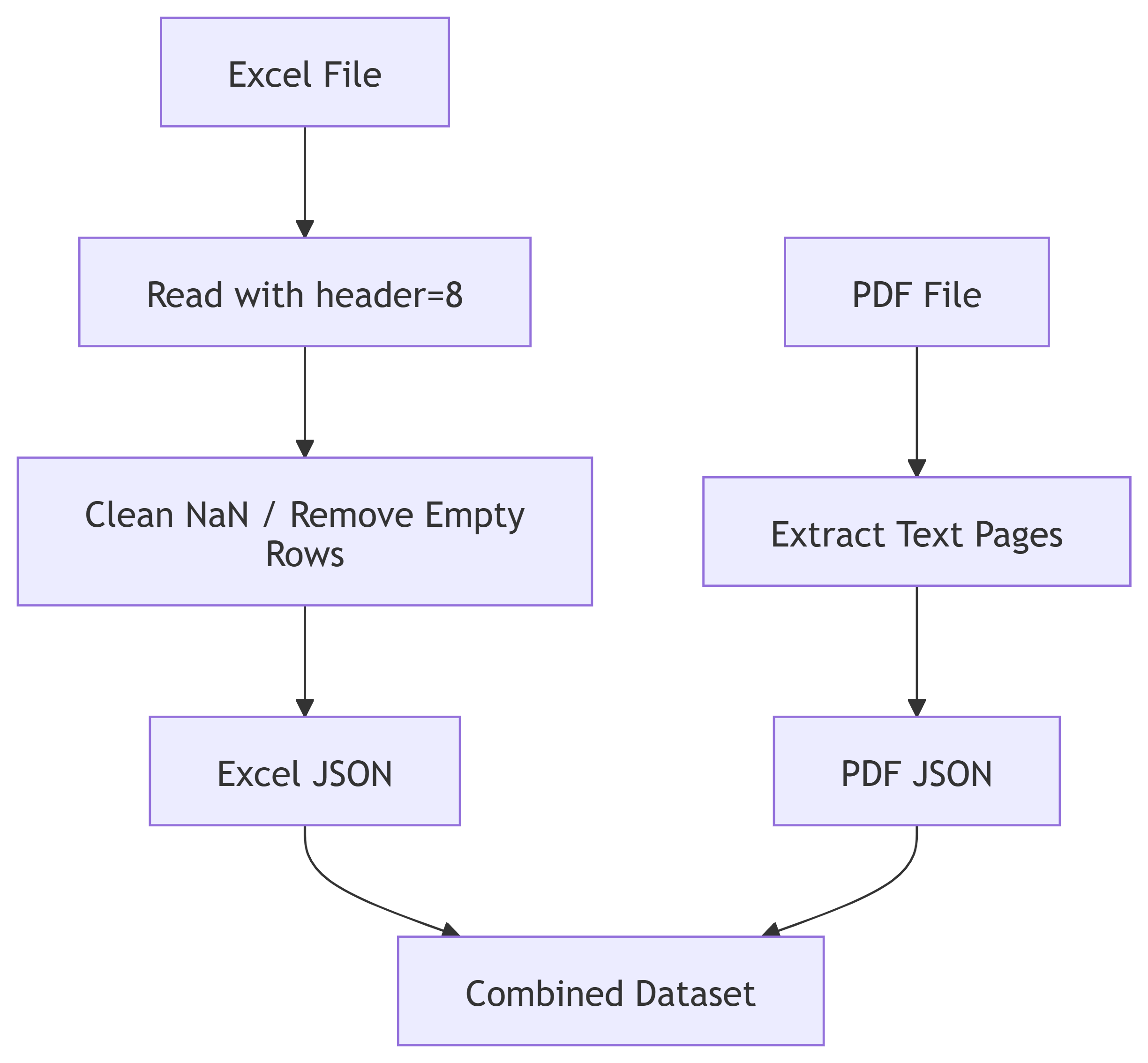
Excel Extraction
The Excel file contained multiple header rows, merged cells, and metadata.
We cleaned it by:
- Identifying the real header row (Excel row 9)
- Removing empty rows and columns
- Replacing NaN with JSON‑friendly null
- Normalizing column names
- Extracting Contractor comments, item codes, prices, measurements, etc.
PDF Extraction
The PDF was converted into plain text page by page, allowing semantic search later.
Diagram 2 — Data Extraction Pipelin
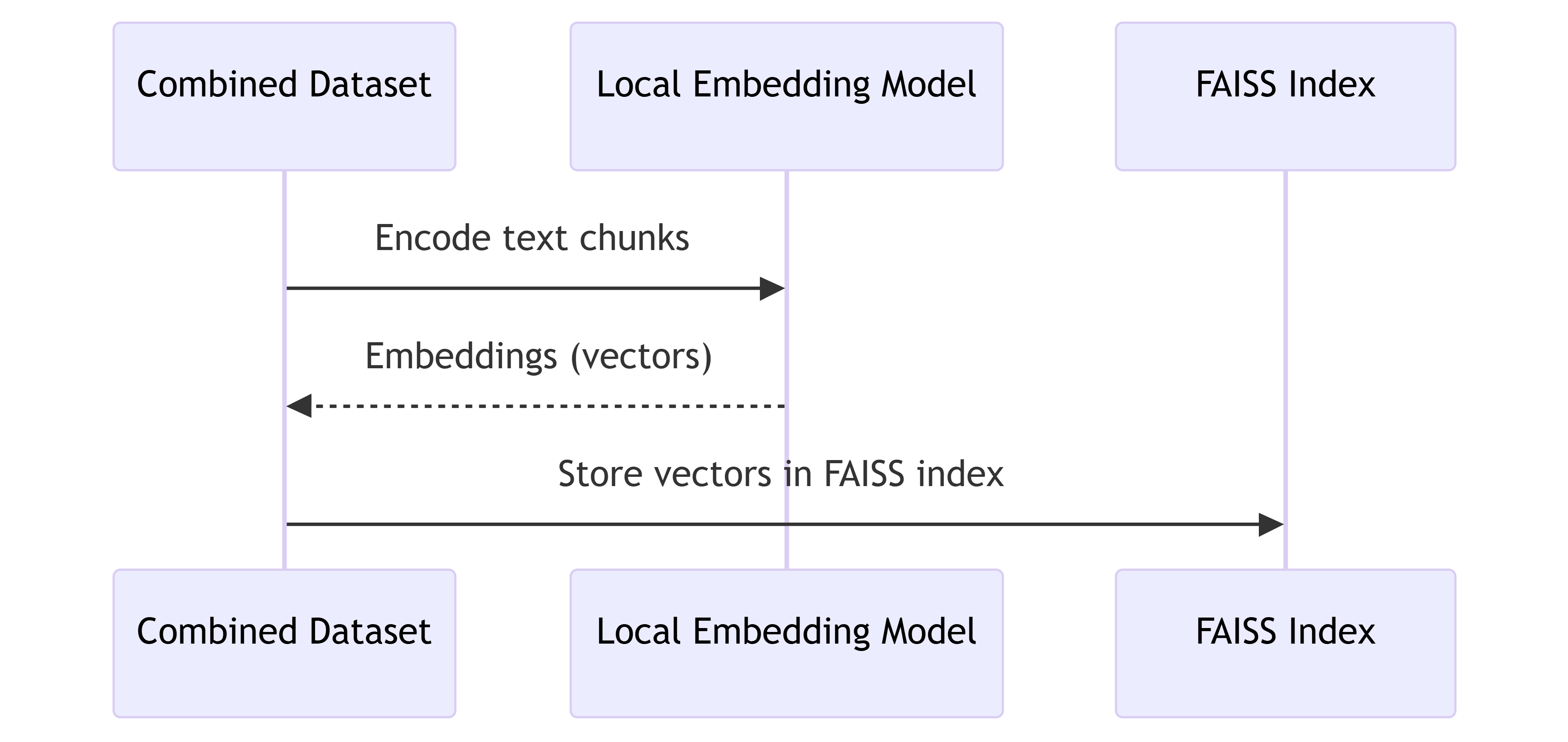
- Creating Embeddings (Offline, Local AI)
Instead of using cloud APIs, this workflow uses a local embedding model:
all-MiniLM-L6-v2
Why local?
- No API key
- No internet needed
- Fully private
- Zero cost
The embeddings are then stored in a FAISS vector index for ultra‑fast semantic search.
Diagram 3 — Semantic Index Creation
- Building a Local Semantic Search Engine
With the FAISS vector index ready, we created a command‑line tool that lets you search naturally:
You can ask:
- “roofing membrane deviation”
- “Contractor comments partition walls”
- “luminaria technical description”
- “demolition items certified”
The system searches BOTH:
- Excel monthly payment to the contractor rows
- PDF budget pages
Thanks to embeddings, even non‑exact wording produces meaningful matches.
Diagram 4 — Semantic Search Flow

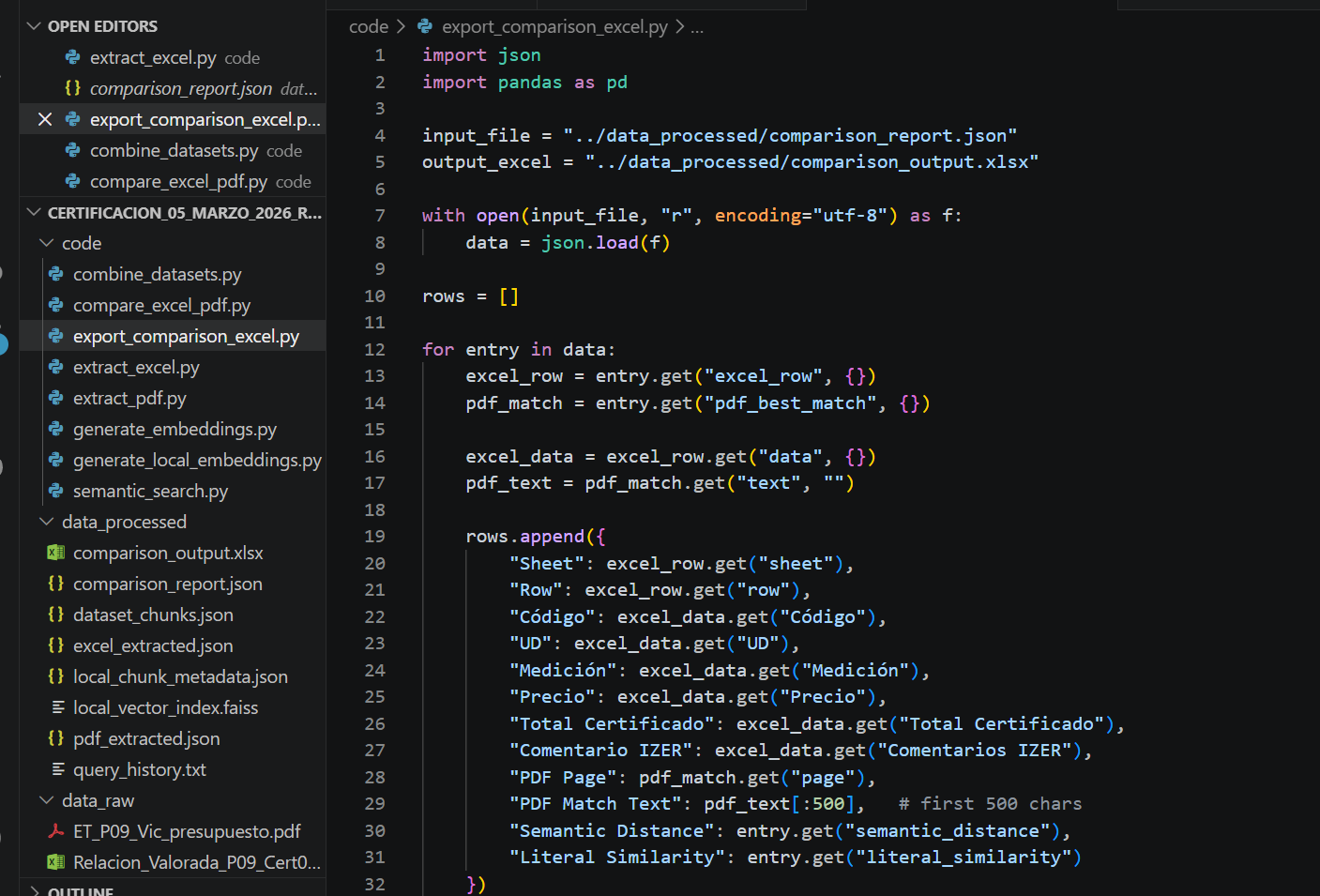
- Automatic Comparison Between Excel and PDF
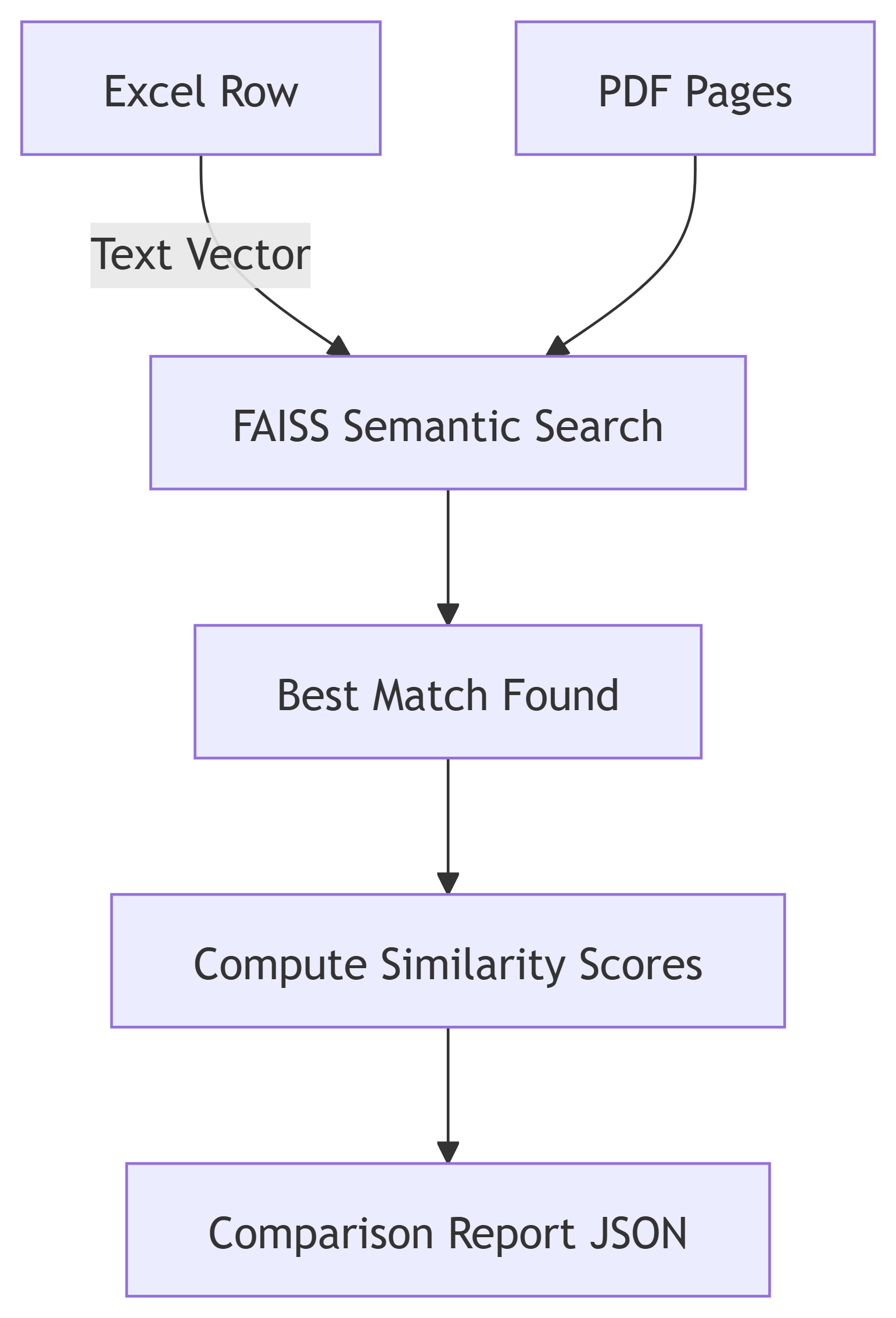
The system compares each Excel item to the closest PDF budget description using semantic similarity.
For each Excel row:
- Find best PDF match
- Calculate semantic distance
- Calculate literal similarity
- Output a structured comparison entry
This produces a complete file linking monthly payment to the contractor quantities with budget descriptions and comments.
For example, the roofing membrane item P‑6Q9C shows additional surface due to slope correction as contractor explains.
Diagram 5 — Excel – PDF Comparison
- Producing Excel and PDF Delivery‑Ready Reports
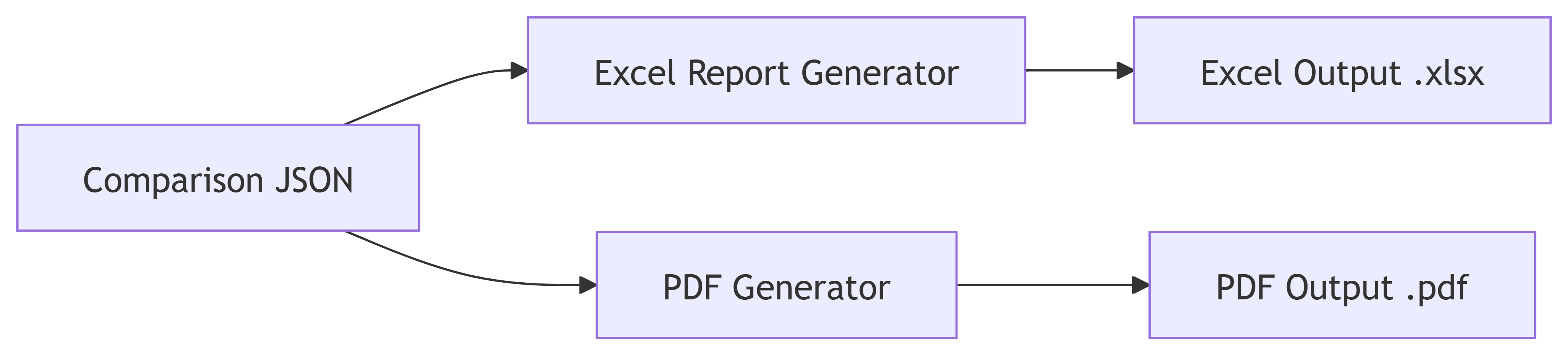
From the comparison and contractor comments, automated tools generate:
- An Excel report (editable, perfect for certification emails)
- A PDF summary (formal documentation)
Diagram 6 — Reporting Workflow
- What This Workflow Achieves
- Saves hours of manual comparison
- Captures engineering justifications seamlessly
- Provides semantic, not literal, matching
- Integrates raw Excel + PDF data automatically
- Produces deliverables ready for submission
- Fully offline (local AI) and reproducible
This pipeline may transform progress payment certificates from tedious documents into an interconnected, intelligent system.
Conclusion: A New Way to Review progress payment certificates
By combining structured extraction, local semantic embeddings, automated comparison, and professional reporting, review may become faster, clearer, and more transparent.
Instead of manually navigating dozens of rows and pages, the system:
- understands the meaning behind each item
- finds matching budget text
- explains deviations
- summarizes comments
- produces a complete, professional report
This is not just automation — it’s intelligent transformation.
References:
Build an unstructured data pipeline for RAG
https://docs.databricks.com/aws/en/generative-ai/tutorials/ai-cookbook/quality-data-pipeline-rag
Vector embeddings
https://developers.openai.com/api/docs/guides/embeddings
https://github.com/dhowfeekhasan/Multi-Format-Document-RAG-System
https://aws.amazon.com/es/ai/generative-ai/use-cases/document-processing/
https://docanalyzer.ai/
 @Yolanda Muriel


